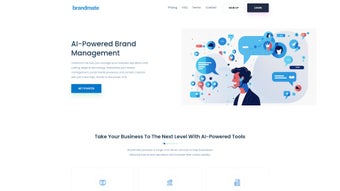

Download Brandmate AI – AI‑Powered Brand Management Tool
Overview of Brandmate AI
In today’s hyper‑connected marketplace, a brand’s reputation can shift in a matter of hours. Traditional brand‑management processes—manual review monitoring, scattered social‑media scheduling, and ad‑hoc content creation—often leave businesses reacting instead of leading. Brandmate AI answers that challenge with a single, AI‑driven platform designed to streamline reputation management, boost online presence, and keep every customer touchpoint aligned with the brand’s voice. By combining real‑time sentiment analysis, automated review responses, and intelligent content assistance, Brandmate AI transforms the way marketers, PR teams, and small‑business owners protect and grow their brand equity.
What sets Brandmate AI apart is its deep‑learning engine that continuously learns from a brand’s historical data, industry trends, and competitor activity. This means the tool not only alerts you to emerging issues but also recommends proactive steps—such as adjusting a campaign tone or responding to a negative review before it spreads. Whether you run a boutique e‑commerce shop, a regional franchise, or a multinational corporation, Brandmate AI scales to match the complexity of your brand ecosystem while keeping the user experience simple and intuitive.
The platform is built on a secure, cloud‑based architecture, ensuring that data is encrypted at rest and in transit. Regular updates bring new AI models, expanded language support, and integrations with the most popular social‑media networks and review sites. With a free trial that lets you test core features without a credit card, Brandmate AI makes it easy to see tangible improvements in brand sentiment, review response time, and social‑media engagement before committing to a paid plan.
Beyond the core capabilities, Brandmate AI offers an analytics hub that visualizes sentiment trends over weeks, months, and quarters, allowing executives to tie brand health directly to revenue metrics. The platform also supports role‑based access control, so marketing managers can delegate tasks while keeping strategic decisions in the hands of senior leadership. In short, Brandmate AI is more than a tool—it’s a strategic partner that helps you stay ahead of the conversation, protect your brand’s reputation, and turn customer feedback into actionable growth opportunities.
Core Features & Benefits
- AI Review Management: Automatic categorization of incoming reviews, suggested reply drafts, and priority tagging for urgent issues.
- Sentiment & Emotion Analysis: Real‑time detection of positive, neutral, and negative sentiment across reviews, social posts, and mentions.
- Unified Social‑Media Dashboard: Schedule, publish, and monitor posts on Facebook, Instagram, Twitter, LinkedIn, and TikTok from a single interface.
- Performance Tracking & Reporting: Customizable analytics that show engagement trends, sentiment shifts, and ROI of brand‑building activities.
- AI‑Assisted Content Creation: Generate blog outlines, ad copy, email newsletters, and visual asset suggestions in seconds.
- Reputation Monitoring: Continuous scanning of the web for brand mentions, competitor benchmarks, and emerging crises.
- Multi‑Language Support: Supports 15+ languages, allowing global brands to manage reputation across regions without extra tools.
- Secure Collaboration: Role‑based permissions let teams work together while keeping sensitive data protected.
Each feature is backed by a machine‑learning model trained on millions of brand‑interaction data points. For example, the AI Review Management module not only flags negative reviews but also predicts the likely impact on overall rating, enabling teams to prioritize responses that will have the greatest effect on public perception. The Sentiment & Emotion Analysis goes beyond simple positive/negative scores; it detects frustration, excitement, or confusion, giving marketers richer insights for targeted messaging.
The Unified Social‑Media Dashboard eliminates the need for separate scheduling tools. You can draft a campaign in Brandmate AI, preview how it will appear on each platform, and schedule it for optimal posting times suggested by the AI. This saves up to 30 % of the time typically spent juggling multiple dashboards. Meanwhile, the AI‑Assisted Content Creation feature helps marketing teams overcome writer’s block, producing SEO‑friendly copy that aligns with brand guidelines, all while maintaining a natural tone.
Reputation Monitoring uses intelligent crawlers and API connections to surface mentions on blogs, forums, and news sites that traditional tools often miss. Alerts are delivered via email, Slack, or within the app, ensuring that no critical conversation slips through the cracks. The analytics suite also provides drill‑down reports that correlate sentiment spikes with specific campaigns, enabling data‑driven budget adjustments.
Finally, the Multi‑Language Support and Secure Collaboration modules make Brandmate AI a truly global solution. Teams in different regions can respond in their native language while preserving brand voice, and administrators retain full visibility over who can edit, publish, or view sensitive data. Together, these capabilities turn a fragmented brand‑management process into a cohesive, AI‑enhanced workflow that drives efficiency and consistency across every touchpoint.
Installation, Setup & Compatibility
Brandmate AI is delivered as a SaaS solution, so there is no complex on‑premise installation. After you sign up for an account, you receive a secure invitation link that guides you through the initial onboarding wizard. The wizard walks you through connecting your existing review platforms (Google My Business, Yelp, TripAdvisor), social‑media accounts, and any CMS you use for content publishing. Each integration uses OAuth authentication, ensuring that credentials are never stored in plain text.
Step‑by‑step setup:
- Visit brandmate.ai/signup and create a free account using your business email.
- Verify your email address and log in to the dashboard.
- Navigate to Integrations and click “Add New.” Select the platforms you want to connect (e.g., Google Reviews, Facebook Page).
- Follow the OAuth prompts to grant Brandmate AI read/write access.
- Run the AI Calibration wizard, which asks for a few sample reviews and past social posts. The AI uses these to fine‑tune its language model to your brand’s voice.
- Set up user roles (Admin, Moderator, Analyst) under Team Settings.
- Configure notification preferences – email, SMS, or Slack – to receive real‑time alerts.
The platform is compatible with all major operating systems because it runs entirely in the browser. Whether you are on Windows 10/11, macOS 12+, Linux, Android, or iOS, you can access Brandmate AI from Chrome, Edge, Safari, or Firefox. Mobile apps are also available for iOS and Android, offering on‑the‑go monitoring and quick response capabilities. The responsive web design ensures a seamless experience on tablets and smartphones without sacrificing functionality.
Updates are pushed automatically on the server side, meaning you always benefit from the latest AI models and security patches without manual downloads. For enterprises that require additional compliance, Brandmate AI offers a private‑cloud deployment option that meets ISO 27001 and GDPR standards. In all cases, data encryption, regular backups, and role‑based access control keep your brand’s sensitive information safe.
Support resources include a searchable knowledge base, video tutorials, and a community forum where power users share best practices. If you encounter any issues during installation, a dedicated onboarding specialist is assigned to guide you through troubleshooting steps, ensuring a frictionless start to your brand‑management journey.
Pros, Cons & Frequently Asked Questions
Pros
- AI‑driven automation cuts response time to reviews by up to 70 %.
- All‑in‑one dashboard reduces the need for multiple subscription tools.
- Advanced sentiment analysis provides deeper customer insight.
- Scalable from small businesses to large enterprises.
- Secure cloud architecture with regular automatic updates.
- Multi‑language support enables global brand management.
- Customizable reporting aligns brand health with business KPIs.
Cons
- Initial AI calibration requires a small amount of historical data.
- Advanced features (e.g., private‑cloud hosting) are limited to higher‑tier plans.
- Learning curve for teams unfamiliar with AI‑assisted workflows.
- Pricing may be higher than basic review‑only tools for very small firms.
FAQ – Brandmate AI
Can Brandmate AI handle multiple languages for global brands?
Yes. The platform supports over 15 languages, including English, Spanish, French, German, Mandarin, and Japanese. AI models automatically detect the language of incoming reviews or mentions and provide appropriate response suggestions.
How does Brandmate AI ensure data privacy and compliance?
All data is encrypted both at rest (AES‑256) and in transit (TLS 1.3). The service complies with GDPR, CCPA, and ISO 27001. Enterprise customers can opt for a private‑cloud deployment that meets additional regulatory requirements.
Is there a free trial, and what features are included?
Brandmate AI offers a 14‑day free trial with full access to review management, sentiment analysis, and the social‑media dashboard. No credit card is required, and you can cancel anytime before the trial ends.
Can I integrate Brandmate AI with my existing CRM?
Yes. Brandmate AI provides native integrations with popular CRMs such as Salesforce, HubSpot, and Zoho. You can also use Zapier or custom webhooks to sync data with other systems.
What kind of support is available for new users?
New users receive a dedicated onboarding specialist, access to a knowledge base, video tutorials, and 24/7 chat support. Premium plans also include phone support and a service‑level agreement (SLA) for faster response times.
Does Brandmate AI offer analytics that tie sentiment to sales?
The reporting module includes custom dashboards where you can import sales data and overlay sentiment trends. This helps you identify direct correlations between brand perception and revenue spikes or dips.
Conclusion & Call to Action
Brandmate AI stands out as a comprehensive, AI‑powered solution that consolidates reputation management, social‑media coordination, and content creation under one secure roof. By automating routine tasks, delivering actionable sentiment insights, and providing a collaborative workspace, it empowers brands to move from reactive firefighting to proactive reputation building. Whether you’re a solo entrepreneur looking to keep your online reviews spotless, or a large organization seeking a unified brand‑voice strategy across continents, Brandmate AI offers the flexibility and intelligence needed to stay ahead of the competition.
Ready to experience faster review responses, smarter content, and a clearer picture of how customers feel about your brand? Start your free trial of Brandmate AI today and see how AI can elevate your brand management to a new level of efficiency and insight.



.png)



